

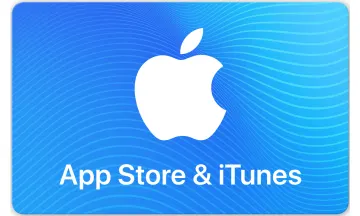
Tarjeta Regalo 苹果App Store & iTunes充值
Esta tarjeta regalo se puede canjear en el sitio web y en las tiendas físicas
Compra apps, juegos, música, películas y más.
Works in:
China

This gift card can be used exclusively for App Store digital content (apps, games, music, iCloud storage, etc). This is not an Apple Store gift card.
No se requiere cuenta
Entrega Inmediata
Private and Safe
Send a gift card to let friends and family listen to the huge number of songs on Apple Music, choose millions of apps in the App Store, and purchase iCloud storage space. There are various denominations of App Store recharge cards, small gifts, and full of heart.
Buy Tarjeta Regalo 苹果App Store & iTunes充值 with crypto such as Bitcoin, Ethereum, USDT, USDC, Solana, Binance Pay and many more.
On your iPhone, iPad, or iPod touch
1. On your device open iTunes Store App.
2. Scroll to the bottom of the Featured section and tap Redeem.
3. Log in with your Apple ID.
4. Tap "You can also enter your code manually."
5. Enter the 16-digit code, which starts with X.
6. Tap Redeem. After redemption is successful, your iTunes account balance automatically updates.
On your Mac
1. Launch iTunes.
2. Click Sign In. Then enter your Apple ID and password.
3. Click your name. Choose Redeem from the menu.
4. Enter your password again.
5. Enter the 16-digit code, which starts with X
6. Click Redeem. After redemption is successful, your iTunes account balance automatically updates.
You will be able to see your updated balance in your Chinese iTunes Store account once the iTunes Gift Card is redeemed.
Credit will be deducted from your iTunes Store account each time you make a purchase until the funds are depleted.
You can use it across all your devices, so go ahead and redeem it today!
1. On your device open iTunes Store App.
2. Scroll to the bottom of the Featured section and tap Redeem.
3. Log in with your Apple ID.
4. Tap "You can also enter your code manually."
5. Enter the 16-digit code, which starts with X.
6. Tap Redeem. After redemption is successful, your iTunes account balance automatically updates.
On your Mac
1. Launch iTunes.
2. Click Sign In. Then enter your Apple ID and password.
3. Click your name. Choose Redeem from the menu.
4. Enter your password again.
5. Enter the 16-digit code, which starts with X
6. Click Redeem. After redemption is successful, your iTunes account balance automatically updates.
You will be able to see your updated balance in your Chinese iTunes Store account once the iTunes Gift Card is redeemed.
Credit will be deducted from your iTunes Store account each time you make a purchase until the funds are depleted.
You can use it across all your devices, so go ahead and redeem it today!
Valid only on purchases made in the China from the China iTunes Store. Use requires an active iTunes account & prior acceptance of license & usage terms. Not redeemable for cash, for resale, for shipments outside China., & no refunds or exchanges (except as required by law). Data collection and use subject to Apple’s Privacy Policy; see apple.com/privacy. see apple.com/legal/itunes/cn/terms
Reseñas
5
3
Reviews
1
2
3
4
5

henrrylee886
26 mar 2026

buyaowanwan00
12 feb 2026

tanglong
19 jun 2025
Mostrando 3 de 3








Cómo funcionan las Tarjetas Regalo

Introduce el monto
Selecciona o ingresa el monto que deseas que tenga la tarjeta.

Pay with any payment method
Tu pago se confirma en el mismo minuto en la mayoría de los casos.

¡Eso es todo, listo para usar!
Canjea tu tarjeta en el negocio elegido, de acuerdo con sus instrucciones.
Preguntas frecuentes
Echa un vistazo a nuestra Base de Conocimientos para más preguntas frecuentes
苹果App Store & iTunes充值 no acepta criptomonedas, pero Bitrefill proporciona una solución al permitirte comprar una tarjeta regalo de 苹果App Store & iTunes充值 con Bitcoin u otra criptomoneda. Esta tarjeta se puede utilizar para realizar compras en 苹果App Store & iTunes充值.
- Ingresa la cantidad que deseas para la tarjeta de 苹果App Store & iTunes充值.
- Elije la cripto que deseas utilizar para el pago, como Bitcoin, Bitcoin por Lightning, Ethereum, USDT, USDC, Litecoin, Dogecoin, Dash. Alternativamente puedes pagar usando Binance Pay.
- Una vez que se confirme tu pago, obtendrás tu código de 苹果App Store & iTunes充值.
Una vez que hayas comprado una tarjeta regalo de 苹果App Store & iTunes充值 en Bitrefill, se te enviará por correo electrónico casi al instante. O puedes canjearla directamente desde la página de pago.
Algunas tarjeta regalos que las personas en RAE de Hong Kong (China) generalmente compran son Roblox, Steam, Eneba Games Store USD, PlayStation Store y Roblox USD. Puedes encontrar muchas más opciones visitando la sección de tarjeta regalos.
Si tienes una pregunta que no está respondida aquí, puedes visitar nuestro centro de ayuda y estaremos encantados de servirte.